

 Facebook
 Twitter
 LinkedIn

Problem: Replying to emails should not take all day
Answering emails one by one slows everything down. When you have dozens of messages that need the same response, you end up copying and pasting, repeating tasks, and losing time you could spend on real work. It feels slow and stressful. Managing your inbox should be faster, easier, and far less repetitive.
Solution: Reply to multiple emails at once
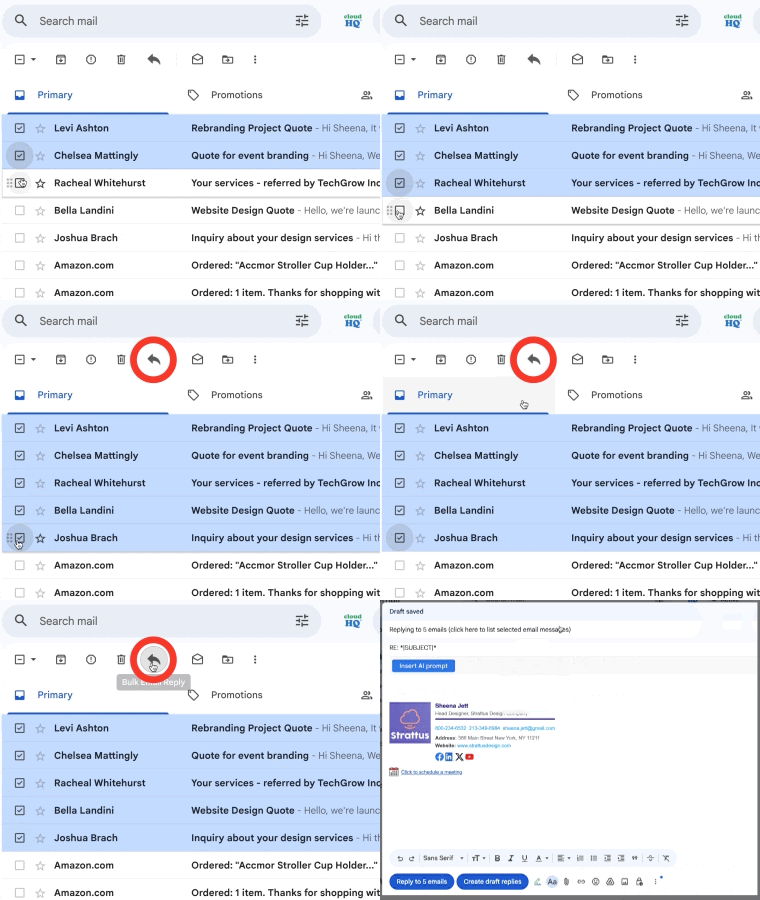
Bulk Email Reply lets you select many messages and send one reply to all of them in seconds. You can send right away or create drafts to review first. With AI generated responses and professional templates, every reply looks personal and polished. It is the easiest way to handle repetitive emails and stay in control of your inbox.
Handle Bulk Email Replies in Gmail
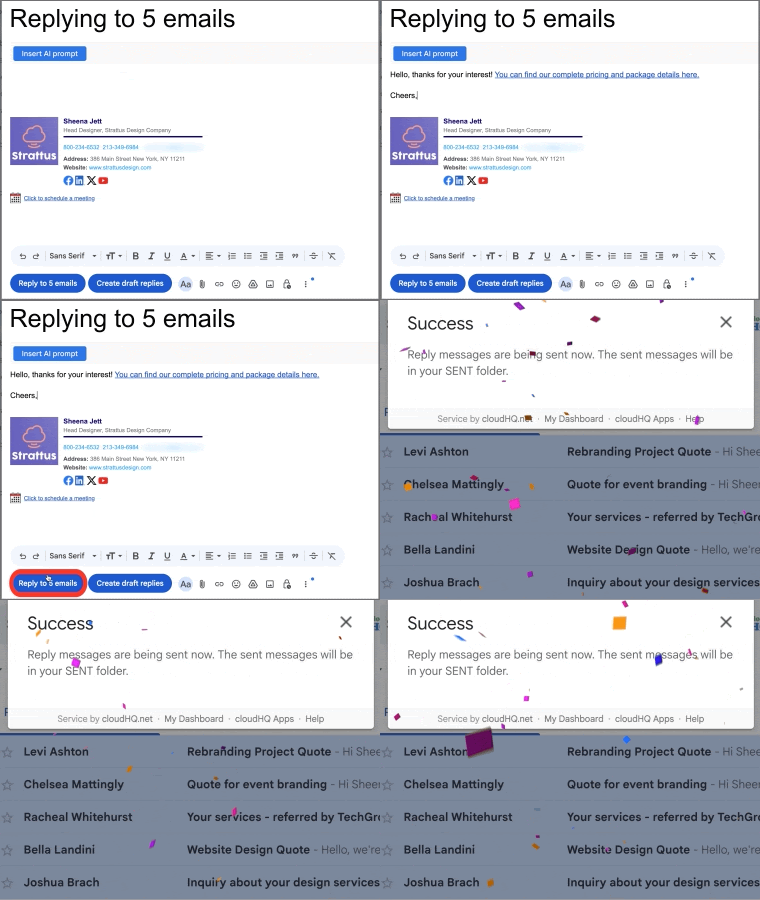
Bulk Email Reply lets you select many emails and respond to all of them at once. It is perfect for sales inquiries, support requests, and repetitive follow ups. With one action you save hours, reduce inbox stress, and keep communication moving fast.
Send Now or Save Drafts to Review
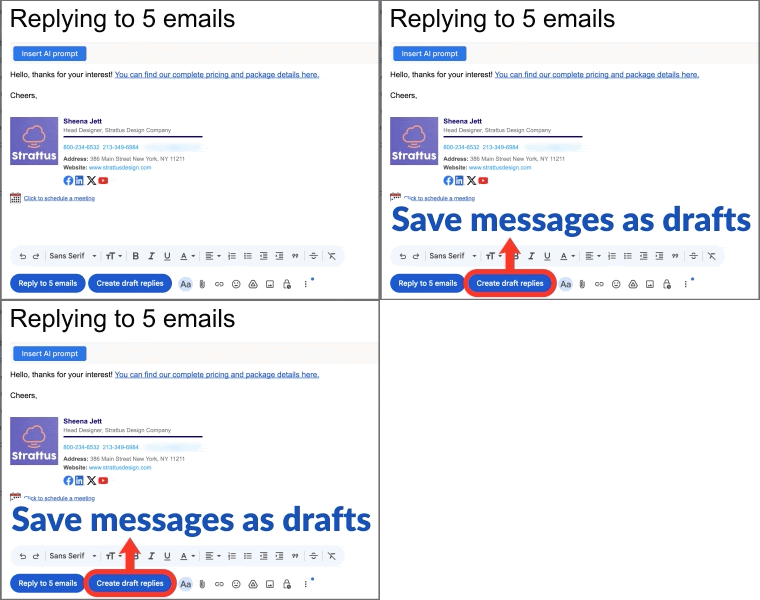
Bulk Email Reply gives you full control over how you send messages. You can reply to everyone instantly for quick communication, or save all replies as drafts to review before they go out. It keeps your workflow flexible, accurate, and ready for any situation.
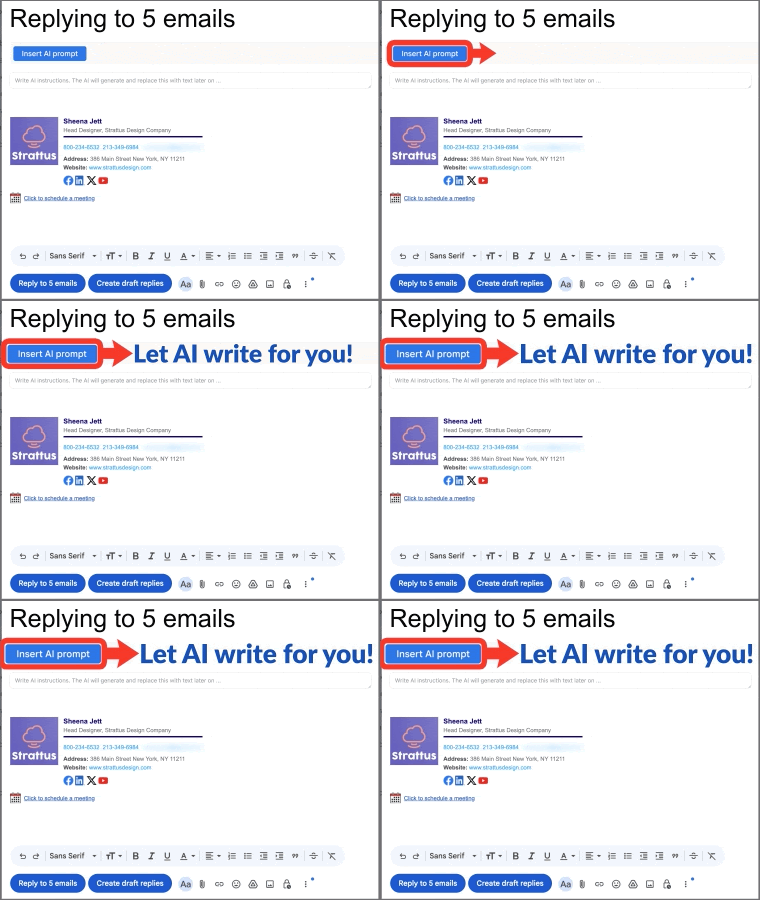
AI Assisted Email Replies
Bulk Email Reply uses AI to write smart and personal responses for you. It understands the context of each message and creates natural replies that you can review or edit before sending. This is perfect for common questions from customers or leads because it removes repetitive typing and speeds up communication. You stay productive and every reply still feels friendly and authentic.
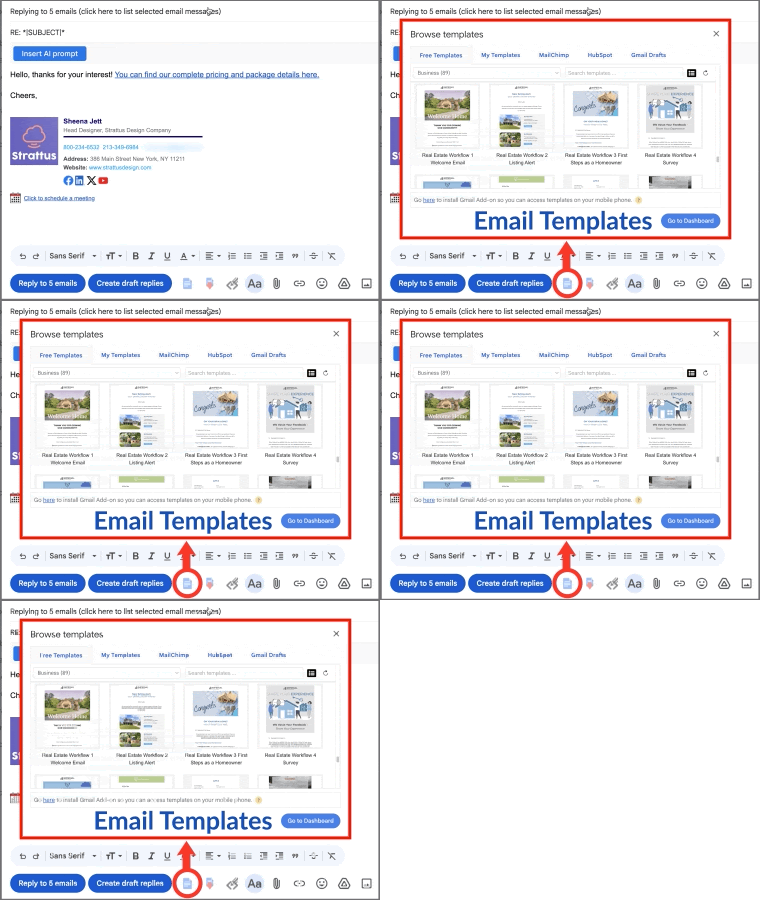
Professional Email Templates in Gmail
Bulk Email Reply connects with cloudHQ Email Templates to give you instant access to beautiful and professional designs. You can apply a branded layout to every reply with one click so your messages always look polished and consistent. It is an easy way to maintain a high quality image while saving time in Gmail.
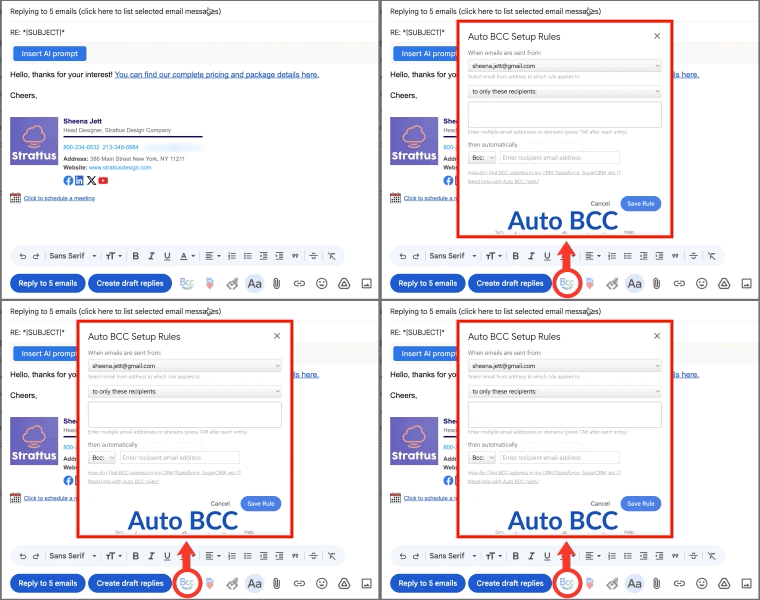
Keep Workflows Organized with Auto BCC
Bulk Email Reply works seamlessly with cloudHQ Gmail Auto BCC so every reply is automatically copied to the right place. Your CRM, shared labels, or internal records always stay updated without manual steps. It keeps your team organized and ensures nothing gets lost in Gmail.
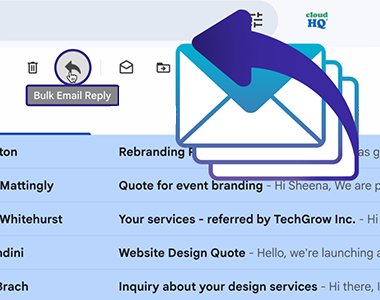
Works Directly Inside Gmail
Bulk Email Reply works directly inside Gmail, right where you already manage messages. There is nothing new to learn and no extra tools to open. You simply select your emails, click the Bulk Email Reply button, and send personal responses without ever leaving your inbox. It is a smooth and familiar experience that keeps your workflow fast and efficient.
5 Star Positive Reviews
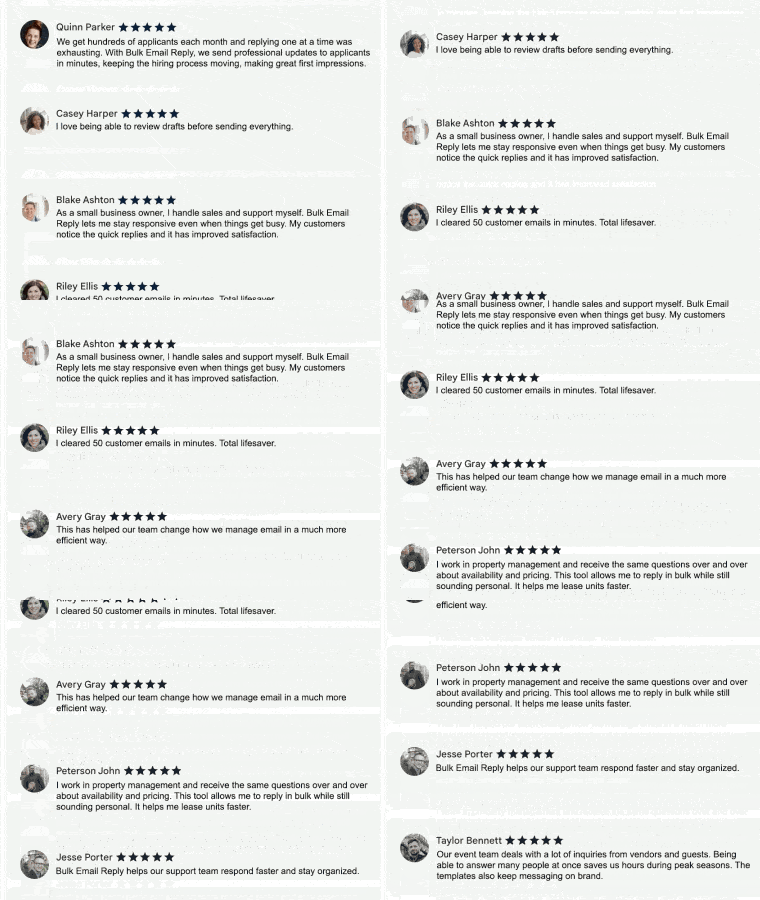
Teams love how Bulk Email Reply makes Gmail faster and easier to manage. Users say it saves hours each week by removing repetitive typing and letting them reply to many messages in one action. Sales and support teams appreciate the AI assisted responses and polished templates that help them communicate professionally. From small businesses to large organizations, customers rely on Bulk Email Reply to stay productive and keep inbox overload under control. Here’s what some of them have to say:
Benefits for Teams
Bulk Email Reply is ideal for teams that manage large volumes of communication every day. Sales and support teams can reply faster and keep customers happy. Recruiters can respond to many applicants in a single step. Small business owners can handle frequent inquiries without repetitive typing. AI assisted replies ensure accuracy while saving time. Workflows stay organized with automatic BCC for CRM tracking. Teams spend less time stuck in their inbox and more time helping people and growing their business.
Here are just a few ways professionals use Bulk Email Reply every day:

Sales teams
Respond quickly to many inbound leads with personal messages that keep conversations active.
Customer Support Teams
Send fast solutions for common questions and improve response times.


Recruiters and HR
Reply to multiple job applicants at once with professional updates and scheduling details.
Small Business Owners
Handle customer questions, quotes, and service requests without copying and pasting replies


Real Estate Agents
Respond to property inquiries in bulk with availability, pricing, and next steps.
Service Providers and Consultants
Follow up with clients and respond to project requests faster while staying professional.


Appointment Based Businesses
Send confirmations, instructions, or rescheduling options to many customers in seconds.
Event and Hospitality Teams
Reply to booking inquiries, vendor questions, and attendee requests with consistent information.


Nonprofits
Respond to event sign ups, volunteer outreach, and donor messages efficiently.
Administrative Assistants
Send responses on behalf of executives and keep communication moving smoothly. No matter your team size, Bulk Email Reply helps you save time, reduce inbox stress, and deliver faster communication right inside Gmail.

Frequently Asked Questions
How do I reply to multiple emails at once in Gmail?
Can Bulk Email Reply help me manage customer support faster?
Does this work with Gmail labels and workflow tools?
Can I personalize replies when sending in bulk?
Is Bulk Email Reply safe for business use?
Will my Gmail account need any complex setup?
Testimonials
“As a sales manager, my inbox fills up with new inquiries every morning. Bulk Email Reply lets me follow up with warm leads in seconds so conversations never go cold. The AI responses sound natural and personal, and it has made our team more responsive than ever.”
- Jason Miller, Sales Manager
“We manage a high volume of support requests and many customers ask the same questions. With Bulk Email Reply, our agents can send accurate information to multiple customers at once. We stay on top of our inbox and keep clients happy without adding more staff.”
- Priya Patel, Customer Support Lead
“As a real estate agent, I receive lots of property inquiries that need quick answers. This app helps me respond with pricing and availability right away. Clients appreciate how fast I reply and it helps me schedule more showings.”
- Rachel Gomez, Realtor
“I handle administrative requests for my executive team and it is easy to fall behind. Bulk Email Reply lets me draft or send clean replies in a single action. It has truly changed how I manage the inbox.”
- Logan Carter, Executive Assistant
“As a nonprofit coordinator, I am constantly responding to volunteers, donors, and event sign ups. Bulk Email Reply helps me keep communication smooth and consistent even during busy seasons.”
- Sofia Nguyen, Community Outreach Coordinator